All Categories Onboarding How to add rep to a different column

How to add rep to a different column

(Ready, Guests, Appointments, Out)

On the right of each rep card

Screen-Shot-2022-06-01-at-10.29.38-PM.png

  • Click the three dots

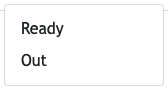
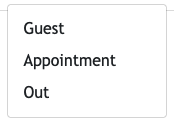
  • This will open a pop-up box with the options available depending on which column the rep currently is in.

  • Select the name of the column to add the rep to it
    Screen-Shot-2022-06-01-at-10.33.45-PM.pngScreen-Shot-2022-06-01-at-10.33.57-PM.png

  • The rep card will now be in that column with the time updated to when it occurred.

Was this article helpful?

Thanks for your feedback!